Connect your wallet to the copilot
Before an AI copilot can analyze your yield farming strategies or execute transactions, it needs access to your blockchain identity. This process involves linking your Web3 wallet to the platform, establishing a secure bridge between your assets and the AI's analytical engine.
The connection process is straightforward, but the permissions you grant are critical. Unlike traditional apps that ask for passwords, DeFi AI copilots require cryptographic signatures. Always prioritize platforms that support read-only connections or limited-permission keys. This ensures the AI can view your portfolio and suggest optimizations without having the authority to move your funds.

Ensure your wallet (such as MetaMask, Rabby, or WalletConnect-compatible apps) is installed and funded with the native gas token for your target chain. Many embedded AI copilots, like those built on the Amadeus Protocol, integrate directly into existing DeFi interfaces, meaning you may already be connected to the necessary infrastructure.
Locate the "Connect Wallet" or "Sign In" button on the AI copilot's dashboard. This is typically found in the top-right corner of the interface. Clicking this will trigger a modal or redirect you to your wallet provider's app to initiate the handshake.
Your wallet will display a message requesting permission to interact with the copilot. This is a cryptographic signature, not a transaction that costs gas. Read the details carefully. If the platform requests unlimited token approval for all assets, decline and look for a more restricted permission option. For initial setup, a simple signature is usually sufficient to link your identity.
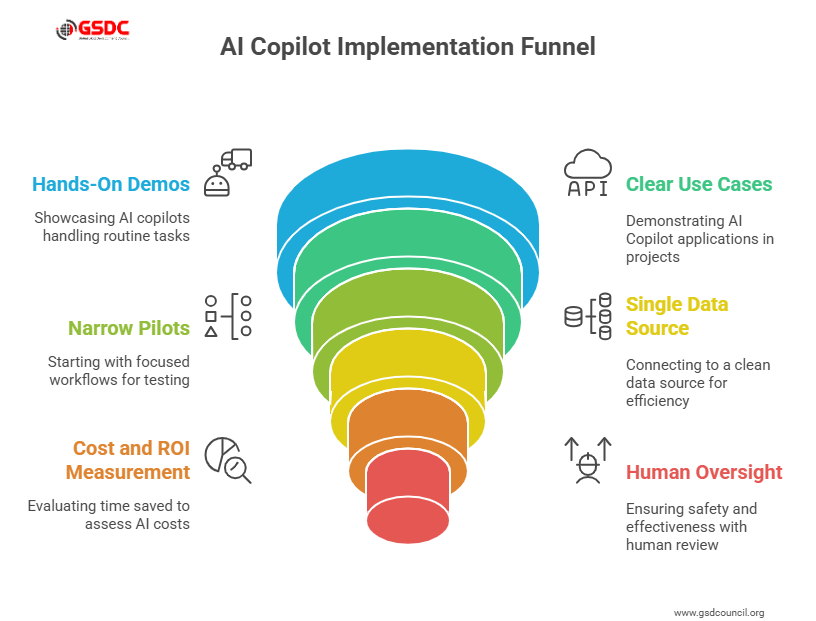
Once connected, the copilot should display your wallet address and portfolio overview. If the platform allows, explicitly set your API or interaction permissions to "Read-Only" or "View-Only". This prevents the AI from accidentally executing trades or swaps on your behalf without your explicit confirmation for each action.
A secure connection is the foundation of using a DeFi AI copilot for yield farming. By starting with a read-only link, you allow the AI to analyze market data and your current positions without exposing your assets to unnecessary risk. Always double-check the domain and contract addresses before signing any high-permission requests.
Define your yield farming strategy
Before handing over control to an AI copilot, you must clearly articulate your investment parameters. The AI cannot guess your financial comfort level or your timeline. By inputting specific constraints, you transform the tool from a generic data aggregator into a tailored strategy engine. This process ensures that every suggested yield farm aligns with your personal risk profile and capital goals.
Start by setting your risk tolerance. Be explicit about whether you are comfortable with high-volatility, new-token pairs or prefer established blue-chip assets on mature chains. Next, define your target APY range. While AI tools like Defi Pilot can scan for high yields, they need a baseline to filter out scams or unsustainable rates. Without a clear target, the copilot may present opportunities that are technically valid but financially unsuitable for your portfolio.
Specify your preferred blockchains and liquidity pools. If you want to avoid Ethereum gas fees, state that preference clearly. Similarly, if you only want to farm on Solana or Avalanche, the AI will ignore opportunities on other networks. This step prevents the copilot from suggesting complex cross-chain bridges that you are unwilling to navigate.
Once these inputs are set, the AI copilot aggregates real-time data across multiple blockchains to generate actionable strategies. It filters out low-yield or high-risk options based on your criteria, presenting a shortlist of farms that match your definition of success. This precision saves hours of manual research and ensures your capital is deployed efficiently.


As an Amazon Associate, we may earn from qualifying purchases.
Review AI-generated trade proposals
Before approving a yield farming position, you must audit the AI's output for hidden costs and risks. An AI copilot can suggest high-yield opportunities, but it cannot fully replace your judgment on execution details. Treat the proposal as a draft that requires verification.
Check gas costs and slippage
High gas fees can erase your yield, especially on congested networks. The AI should estimate the total cost of entry and exit, including transaction fees. If the estimated yield is less than 5-10% after gas, the trade may not be worth the effort. Also, check the slippage tolerance. For stablecoin pairs, keep slippage low (0.1-0.5%). For volatile assets, you may need higher tolerance, but this increases the risk of unfavorable execution.
Audit contract risks
Never trust an AI suggestion blindly. Verify the smart contract's audit status. Look for recent audits from reputable firms like CertiK or OpenZeppelin. If the contract is unaudited or uses a new, untested protocol, the risk of a hack or exploit is significant. Check the contract's age and total value locked (TVL) as a proxy for community trust. A contract with low TVL and no audit history is a high-risk gamble.
Compare strategies
Use a comparison table to weigh the AI's proposal against a manual entry or alternative strategies. This helps you see the trade-offs clearly.
| Metric | AI Proposal | Manual Entry | Risk Level |
|---|---|---|---|
| Execution Speed | Fast (Automated) | Slow (Manual) | Medium |
| Gas Optimization | Optimized | Variable | Low |
| Slippage Control | Fixed (Configurable) | Dynamic | High |
| Contract Verification | Suggested | User Verified | Low |
Final verification step
Before clicking "Approve," double-check the transaction details in your wallet. Ensure the recipient address matches the intended protocol. Confirm the amount and token selection. If anything looks unusual, cancel the transaction and re-evaluate the AI's suggestion. Your vigilance is the final layer of security.
Execute and monitor automated positions
Launching a DeFi AI copilot for yield farming shifts the workflow from manual transaction signing to strategic oversight. Instead of chasing individual pools, you configure the agent to execute and rebalance positions automatically. This approach reduces gas costs and ensures your capital stays in the highest-yielding opportunities without constant attention.
Configure execution parameters
Before the copilot goes live, define the boundaries of its autonomy. Set your target yield range, acceptable risk levels, and the specific protocols it can interact with. Most advanced copilot interfaces allow you to cap the amount of capital allocated to any single pool to prevent over-concentration. These parameters act as guardrails, ensuring the AI operates within your risk tolerance while maximizing efficiency.
Monitor rebalancing and exits
Once active, the copilot handles the heavy lifting of rebalancing. It monitors yield rates across supported protocols and automatically moves funds to better opportunities when thresholds are met. You should still check in regularly to review the dashboard. Look for any unusual activity or slippage that might indicate a protocol issue. The goal is to let the AI manage the trades while you manage the strategy.
Verify automated safeguards
Ensure your stop-loss and take-profit mechanisms are correctly set. These automated exits protect your principal if market conditions shift rapidly. Without them, a sudden drop in yield or a smart contract vulnerability could erode your returns before you have time to react. Regularly reviewing these settings ensures your automated positions remain aligned with your long-term financial goals.
Post-Execution Monitoring Checklist
-
Confirm initial deposits are reflected in the dashboard
-
Verify rebalancing triggers match your risk settings
-
Check that stop-loss orders are active
-
Review gas fees for each automated transaction
-
Set up alerts for significant yield changes
Note: As noted by Sahara AI, their DeFi CoPilot is designed to automate transaction verification and risk assessment, reducing the need for manual intervention in complex DeFi ecosystems [1].
[1] Sahara AI. DeFi CoPilot Waitlist. hi.saharaai.com.
Common mistakes in AI-driven DeFi
Even with an AI copilot, yield farming remains a high-stakes environment where automation introduces new vectors for error. The most frequent pitfalls involve over-leveraging, ignoring smart contract vulnerabilities, and blind trust in automated execution. Understanding these failure modes is essential for protecting your capital.
Over-leveraging through AI suggestions
AI models often prioritize yield optimization, which can lead to aggressive leverage recommendations. While high leverage amplifies gains, it also exposes your position to rapid liquidation during market volatility. An AI might suggest borrowing against your assets to maximize APY without fully accounting for sudden price drops or oracle delays.
Always verify leverage ratios manually. Set strict liquidation price buffers that are lower than the AI’s suggested entry points. Treat AI leverage suggestions as baseline scenarios, not absolute mandates. If the suggested leverage exceeds 2x, pause and assess the specific protocol’s liquidation mechanics before proceeding.
Ignoring smart contract risks
An AI copilot can analyze historical data and yield trends, but it cannot guarantee the security of the underlying smart contracts. New or audited-only protocols may still contain undiscovered vulnerabilities. Relying solely on the AI’s yield projection without checking audit reports or community sentiment is a critical oversight.
Before deploying funds, review the latest audit reports from reputable firms like CertiK or Trail of Bits. Check for recent governance proposals or code changes that might introduce new risks. The AI’s performance metrics do not replace the need for fundamental security due diligence.
Blind trust in automated execution
Automated execution removes friction but also removes your ability to intervene during anomalies. Network congestion, slippage, or oracle failures can cause transactions to execute at unfavorable prices or fail entirely, leaving your assets stuck or partially filled.
Enable manual confirmation steps for large transactions. Monitor transaction hashes on block explorers immediately after execution. If a transaction hangs or reverts, do not assume the AI has resolved it; investigate the status yourself. Manual verification acts as a final safety net against technical failures.
Frequently asked questions about DeFi AI copilots
What is the difference between AI and DeFi?
DeFi refers to decentralized financial protocols that run on blockchains, handling thousands of transactions daily. AI acts as the intelligence layer on top of this infrastructure. While DeFi provides the rails for lending, borrowing, and trading, AI automates the heavy lifting—such as risk assessment, compliance checks, and portfolio rebalancing—reducing the need for manual intervention in complex data streams.
Are DeFi AI copilots safe to use?
Security depends on how you connect your wallet. Most reputable AI copilots operate as read-only interfaces that analyze public blockchain data, meaning they can view your holdings without touching your funds. However, if a tool requires private keys or excessive smart contract approvals to execute trades, treat it as high-risk. Always verify the tool’s source code and reputation before connecting any assets.
How do I choose the right DeFi AI copilot?
Start by checking if the tool integrates with the specific chains you use, such as Ethereum or Solana. Look for platforms that prioritize transparency, such as Defi Pilot, which offers open-source portfolio tracking and clear performance analytics. Avoid tools that promise guaranteed returns or require you to deposit funds directly into their custody.
No comments yet. Be the first to share your thoughts!